Human & AI Readable Code
- Index for Human & AI Readable Code
- Key Idea One: Structured Organization
- Key Idea Two: Clear Naming and Commenting
- Key Idea Three: Proper Expression Handling
- Adapting for AI Models and File Formats
- Conclusion
- Bottom Line
- Appendix Code
- Trial Run Editor with Multiple Windows
- Why No Freeze?
- Extensions
- Sydney's Editable TCL Code Runner V2, Revamped
- Table. Suggested Extensions for Sydney's TCL Code Runner
- Table. Use Extremely Descriptive, Honest Names (The #1 Rule)
- CVS Version of Table
- Table. Naming Variables, Code Quality Guidelines
- CVS Version of Table
- Example of Human Readable Code
- Naming Patterns That Almost Everyone Uses
- How to get sharper (less fuzzy) screenshots from Tcl Playground
- Page Is Under Development
- Hidden Comments Section
- Program Change Log
Index for Human & AI Readable Code
Preface
gold 01/16/2026. Here are some discussions on Human & AI Readable Code.
Executive Summary
This article explores best practices for writing clear, maintainable TCL (Tool Control Language) code in university engineering laboratories. The document emphasizes naming conventions, code structure, and documentation strategies that enable both human programmers and artificial intelligence systems to understand and work with TCL scripts effectively. Engineering students will learn practical techniques for creating professional-quality code that meets academic and industry standards.
The foundation of readable code begins with descriptive naming conventions that eliminate ambiguity. Variable names like "x," "tmp," or "data" provide no context about the data's purpose or type. Instead, engineering students should use names such as "userAgeInYears," "temporaryPassword," or "allProductsInInventory." These explicit names immediately communicate the variable's purpose to anyone reading the code, whether a human colleague or an AI system analyzing the script. Function names should describe both the action and the target, transforming generic terms like "calc" into specific descriptions such as "calculateTotalPriceWithTax" or "computeCircuitResistance." Boolean variables deserve special attention because the names should form natural yes-or-no questions. Names like "isAccountActive," "hasPaymentFailed," or "sensorDetectedMotion" clearly indicate the variable's purpose and expected values.
Code structure plays an equally important role in readability and maintainability. Functions should remain concise, typically under twenty to thirty lines of code. Longer functions become difficult to understand, test, and debug in laboratory environments where multiple students may collaborate on shared projects. Each function should maintain one level of abstraction, avoiding the common mistake of mixing high-level business logic with low-level implementation details. For example, a function that processes sensor data should not simultaneously handle file input/output operations, network communications, and mathematical calculations. Separating these concerns into distinct, well-named functions improves code organization and makes debugging significantly easier during laboratory exercises.
Consistent naming conventions throughout a project prevent confusion and reduce cognitive load. Engineering students working in university laboratories should establish team conventions early in collaborative projects. Mixing "camelCase" and "snake_case" naming styles within the same codebase creates unnecessary friction. Similarly, avoid creating multiple similar names such as "user," "usr," "userData," and "theUser" for related concepts. Each distinct concept deserves one clear, unambiguous name that all team members understand and use consistently.
Documentation through comments should focus on explaining why code exists rather than what the code does. Well-named variables and functions already communicate what operations occur. Comments become valuable when explaining non-obvious decisions, complex algorithms, or workarounds for specific hardware limitations common in engineering laboratories. For instance, a comment explaining why a particular timing delay exists in sensor reading code provides essential context that variable names alone cannot convey.
Domain-specific language improves clarity in engineering contexts. Technical implementations should use terminology from the problem domain rather than generic programming terms. Instead of "processEntities," engineering students should write "calibratePressureSensors" or "analyzeCircuitVoltages." This approach makes code immediately understandable to domain experts, including laboratory instructors and fellow students who may need to review or modify the code.
Engineering students should practice reading their code aloud to identify awkward or unclear passages. Code that sounds confusing when spoken often indicates naming or structure problems. The self-test question "Can someone unfamiliar with this project understand this line without additional explanation?" helps identify areas needing improvement. Code becomes truly readable when new team members or reviewing instructors can grasp the logic without extensive documentation or verbal explanations.
Key Idea One: Structured Organization
Structured organization forms the foundation of readable Tcl code. Developers achieve this by encapsulating functionality into procedures, known as procs, rather than scattering commands across a global namespace. A common error involves writing lengthy scripts without modular breakdowns, which leads to confusion during maintenance. For example, a script processing sensor data in a university lab divides into procs like "readSensor" and "analyzeData" to isolate tasks. This approach aids AI models in parsing intent, as modular code aligns with patterns in training data. Another error type includes neglecting namespaces, causing variable collisions in team projects. Namespaces group related variables and procs, such as "::lab::voltage" for specific measurements. Engineering students benefit from this practice, as organized code simplifies version control in shared repositories.
Key Idea Two: Clear Naming and Commenting
Clear naming and commenting enhance comprehension for humans and AI alike. Variable names convey purpose, avoiding abbreviations like "x" in favor of "inputVoltageLevel". A frequent error arises from vague names, complicating code reviews in lab settings. For instance, renaming "tmp" to "temporaryFilePath" clarifies a script handling data logs. Comments explain rationale without restating code, such as noting "// Use exponential backoff to handle network retries" in a connection script. Over-commenting represents another error, cluttering the source and distracting readers. AI models require precise comments to infer context, especially in advanced scenarios like script generation. Students learn faster when code includes examples, like a commented loop demonstrating iteration over array elements.
Key Idea Three: Proper Expression Handling
Proper expression handling prevents subtle bugs and improves readability. Bracing expressions with curly brackets ensures safe evaluation in commands like "expr" or "if". Unbraced expressions lead to errors through unintended substitutions, a common pitfall in dynamic scripts. An example involves calculating resistance: "set resistance expr {$voltage / $current}" avoids issues with variable expansion. AI models need such standardization to predict outcomes accurately during analysis or optimization. In university labs, this practice supports reliable simulations.
Adapting for AI Models and File Formats
Advanced AI models demand explicit structures in Tcl scripts, including descriptive proc names, type-like comments for variables, and avoidance of ambiguous commands. Models perform better with semantic clarity, enabling tasks like automated refactoring. Comma-delimited files, or CSV format, offer advantages over structured printout tables for data handling on Wiki pages. CSV files parse easily using "split" commands, promoting simplicity in student projects. Printout tables on pages may require additional libraries, increasing complexity.
Conclusion
Adopt modular procs as the first step toward readable code. Incorporate meaningful names and targeted comments next. Brace all expressions consistently to minimize errors. These actions yield maintainable scripts suitable for educational and AI-driven workflows.
Bottom Line
University laboratory environments benefit particularly from these practices because multiple students often work on shared equipment and codebases. Clear, descriptive code reduces the time needed for knowledge transfer between laboratory sessions. Future students inheriting laboratory projects can quickly understand and extend existing work rather than spending valuable time deciphering cryptic variable names or convoluted logic.
References:
Appendix Code
appendix TCL programs and scripts
Trial Run Editor with Multiple Windows
#!/usr/bin/wish
# TCL
# Trial Run Editor with Multiple Windows
# Compatible with Tcl/Tk 8.6+
# TCL source code follows
# Written for Windows 11 on ActiveState Tcl
# Working on Playground V9 and Windows 11
# Optimized for collegiate IT lab environments
# Working under TCL version 8.6
# Complex calculations up to 3 units computer time
# Wait for complete calculations before saving long files.
# TCL club, 01/15/2025

# Initialize sample data for demonstration
set initialValue 10
set calculatedValue [expr {$initialValue + 5}]
set displayData "Original data: $initialValue; Calculated: $calculatedValue"

# Window 1: Execution Window (yellow background)
toplevel .executionWindow -bg yellow
wm title .executionWindow "Execution Window"

text .executionWindow.displayText -width 30 -height 8 \
    -bg #FFF9C4 -fg black -insertbackground black
.executionWindow.displayText insert end "Executing:\n$displayData"
pack .executionWindow.displayText

# Window 2: Editing Window (pink background)
toplevel .editingWindow -bg pink
wm title .editingWindow "Edit Window"

text .editingWindow.editableText -width 30 -height 8 \
    -bg #FFE0F0 -fg black -insertbackground black
pack .editingWindow.editableText

# Copy button: Transfer content from execution to editing window
button .executionWindow.copyToEditButton -text "Copy to Edit" -command {
    .editingWindow.editableText delete 1.0 end
    .editingWindow.editableText insert end [.executionWindow.displayText get 1.0 end]
}
pack .executionWindow.copyToEditButton

# Window 3: Results Window (green background)
toplevel .resultsWindow -bg lightgreen
wm title .resultsWindow "Results Window"

text .resultsWindow.outputText -width 30 -height 8 \
    -bg #E8F5E9 -fg black -insertbackground black
pack .resultsWindow.outputText

# Post-edit button: Process edited content and display in results window
button .editingWindow.postEditButton -text "Post-Edit & Send to Results" -command {
    set editedContent [.editingWindow.editableText get 1.0 end]
    set postProcessedValue [expr {$calculatedValue * 2}]
    append editedContent "\nPost-edited value: $postProcessedValue"

    .resultsWindow.outputText delete 1.0 end
    .resultsWindow.outputText insert end $editedContent
    update  ;# Ensures UI responsiveness during heavy operations
}
pack .editingWindow.postEditButton

# Custom menu for editing window with standard operations
menu .editingWindow.contextMenu -tearoff 0
.editingWindow.contextMenu add command -label "Select All" \
    -command {.editingWindow.editableText tag add sel 1.0 end}
.editingWindow.contextMenu add command -label "Copy" \
    -command {
        clipboard clear
        clipboard append [.editingWindow.editableText get sel.first sel.last]
    }
.editingWindow.contextMenu add command -label "Exit" -command {exit}
.editingWindow configure -menu .editingWindow.contextMenu
# End of file
Each text widget now has:
-bg for the pastel background color
-fg black for black text (good contrast)
-insertbackground black for a visible cursor
Why No Freeze?
gold 01/15/2026. How to Run: Save as multi_windows.tcl, then wish multi_windows.tcl. The window appears with initial content. Click "Post-Edit Content" to modify it dynamically. Click "Open Window" to spawn the other one with copied content. Edit (type anything), and it updates other live via the binding. I have applied the naming conventions below.
Why No Freeze?: Commands are event-driven (button clicks, key releases). If you had a long computation or extra large files, add update idletasks inside loops.
Extensions
: Load from a file with
set fd [open yourfile.txt]; set sharedContent [read $fd]; close $fd.
For "executing variables," use uplevel or eval safely.
gold 01/15/2026. No Need for Destruction: But if wanted, add
button .exec.destroy -text "Destroy This" -command {destroy .exec}Sydney's Editable TCL Code Runner V2, Revamped
#!/usr/bin/env wish
# Sydney's Editable TCL Code Runner V2
# Educational tool for engineering IT laboratories
# Compatible with Tcl/Tk 8.6+
# TCL source code follows
# Written for Windows 11 on ActiveState Tcl
# Working on Playground V9 and Windows 11
# Optimized for collegiate IT lab environments
# Working under Tool Control Language TCL version 8.6
# Complex calculations up to 3 units computer time
# Wait for complete calculations before saving long files.
# Allows interactive TCL code execution with syntax highlighting
# Written for university engineering students
# TCL Club, 01/17/2026

package require Tk

wm title . "Sydney's Editable TCL Code Runner V2 - Engineering Lab Edition"

# Main code editor text widget with pastel background for readability
text .codeEditorTextWidget \
    -wrap word \
    -undo 1 \
    -height 20 \
    -width 70 \
    -yscrollcommand ".verticalScrollbar set" \
    -font {Courier 12} \
    -bg #F5F5DC \
    -fg black \
    -insertbackground black

# Vertical scrollbar for code editor navigation
scrollbar .verticalScrollbar \
    -orient vertical \
    -command ".codeEditorTextWidget yview"

pack .verticalScrollbar -side right -fill y
pack .codeEditorTextWidget -fill both -expand yes

# Keep editor always editable for student interaction
.codeEditorTextWidget configure -state normal

# Control button frame for user actions
frame .controlButtonFrame
button .controlButtonFrame.executeCodeButton \
    -text "Execute Selection or All" \
    -command executeUserCodeSelection \
    -bg #90EE90 \
    -activebackground #7CCD7C
button .controlButtonFrame.clearEditorButton \
    -text "Clear Editor" \
    -command clearCodeEditor \
    -bg #FFB6C1 \
    -activebackground #FF94B0
button .controlButtonFrame.showHelpButton \
    -text "Show Examples" \
    -command displayInitialExamples \
    -bg #ADD8E6 \
    -activebackground #87CEEB

pack .controlButtonFrame.executeCodeButton \
     .controlButtonFrame.clearEditorButton \
     .controlButtonFrame.showHelpButton \
     -side left -padx 10 -pady 5
pack .controlButtonFrame -side bottom -fill x

# Display initial help and examples for students
proc displayInitialExamples {} {
    .codeEditorTextWidget delete 1.0 end
    .codeEditorTextWidget insert end "# TCL Code Runner for Engineering Students\n"
    .codeEditorTextWidget insert end "# Type TCL code or mathematical expressions below\n"
    .codeEditorTextWidget insert end "# Select text and click Execute, or execute all code\n\n"
    .codeEditorTextWidget insert end "# Example 1: Basic calculation\n"
    .codeEditorTextWidget insert end "expr {2**10 + sin(3.14159)}\n\n"
    .codeEditorTextWidget insert end "# Example 2: Variable assignment\n"
    .codeEditorTextWidget insert end "set voltageReading 5.0\n"
    .codeEditorTextWidget insert end "set currentReading 2.5\n"
    .codeEditorTextWidget insert end "expr {\$voltageReading * \$currentReading}\n\n"
    .codeEditorTextWidget insert end "# Example 3: Engineering calculation\n"
    .codeEditorTextWidget insert end "proc calculateCircuitResistance {voltage current} {\n"
    .codeEditorTextWidget insert end "    return \[expr {\$voltage / \$current}\]\n"
    .codeEditorTextWidget insert end "}\n"
    .codeEditorTextWidget insert end "calculateCircuitResistance 12.0 3.0\n\n"
}

# Clear all text from code editor
proc clearCodeEditor {} {
    .codeEditorTextWidget delete 1.0 end
}

# Execute selected code or all code in editor
proc executeUserCodeSelection {} {
    set codeToExecute ""
    set userHasSelectedText [.codeEditorTextWidget tag ranges sel]

    if {$userHasSelectedText ne ""} {
        # Execute only selected text portion
        set codeToExecute [.codeEditorTextWidget get sel.first sel.last]
    } else {
        # Execute entire editor contents
        set codeToExecute [.codeEditorTextWidget get 1.0 end-1c]
    }

    set executionResult ""
    set executionErrorOccurred [catch {uplevel #0 $codeToExecute} executionResult executionOptions]

    # Display results with clear separator
    .codeEditorTextWidget insert end "\n# ========== Execution Result ==========\n"

    if {$executionErrorOccurred} {
        # Display error message in red
        .codeEditorTextWidget insert end "Error occurred: $executionResult\n" errorMessageTag
    } else {
        # Display successful result in blue
        .codeEditorTextWidget insert end "Result: $executionResult\n" successResultTag
    }

    .codeEditorTextWidget insert end "# ======================================\n\n"
    .codeEditorTextWidget see end   ;# Scroll to bottom to show results
}

# Configure text tags for color-coded output
.codeEditorTextWidget tag configure errorMessageTag \
    -foreground red \
    -font {Courier 12 bold}

.codeEditorTextWidget tag configure successResultTag \
    -foreground blue \
    -font {Courier 12 bold}

# Initialize with helpful examples for students
displayInitialExamples
# End of file
Sydney's Editable TCL Code Runner
Table. Suggested Extensions for Sydney's TCL Code Runner
A number of extensions are possible, but script file gets excessively long for the Wiki.
| # | Feature | Description |
|---|---|---|
| 1 | Exit Button | Confirmation dialog before closing application |
| 2 | Results Window | Separate window with execution history |
| 3 | Clipboard Support | Copy all results or paste content into results window |
| 4 | Golden Ratio Dimensions | Both windows use aesthetically pleasing proportions (1:1.618) |
| 5 | Extensible Windows | All windows are resizable on screen |
| 6 | Easy Eye Font Scaling | Increase/decrease font size up to 5x (60pt max) |
| 7 | Font Scaling | 20% increments with visual feedback |
| 8 | Timestamped Results | Each execution logged with timestamp and execution time |
| 9 | Pastel Results Background | Light blue (#E6F3FF) for eye comfort |
| 10 | Clear Visual Feedback | Button color changes when copying to clipboard |
Note: All button and variable names follow human-readable conventions discussed earlier. Each execution could be logged with a timestamp and execution time, very useful for a computer lab. This script does not use the TK text widget TKcon, but could be adapted.
Table. Use Extremely Descriptive, Honest Names (The #1 Rule)
Index number on draft is arbitrary.
| # | Bad / Cryptic | Good / Self-explaining | Why better? |
|---|---|---|---|
| 1 | x, tmp, data, i, res | userAgeInYears, temporaryPassword, allProducts | Immediately tells purpose |
| 2 | calc, process, doStuff | calculateTotalPriceWithTax, sendWelcomeEmail | Reveals what and why |
| 3 | getUser | findUserByEmail / getCurrentlyLoggedInUser | Different behaviors → different names |
| 4 | flag, status | isAccountActive, hasPaymentFailed, orderShipped | Boolean names should answer questions with yes/no |
| 5 | n, len, cnt | numberOfActiveUsers, totalItemsInCart | Avoid abbreviations unless universal (i→index ok) |
CVS Version of Table
Index number on draft is arbitrary.
"#","Bad / Cryptic","Good / Self-explaining","Why better?"
"1","x, tmp, data, i, res","userAgeInYears, temporaryPassword, allProducts","Immediately tells purpose"
"2","calc, process, doStuff","calculateTotalPriceWithTax, sendWelcomeEmail","Reveals what and why"
"3","getUser","findUserByEmail / getCurrentlyLoggedInUser","Different behaviors → different names"
"4","flag, status","isAccountActive, hasPaymentFailed, orderShipped","Boolean names should answer questions with yes/no"
"5","n, len, cnt","numberOfActiveUsers, totalItemsInCart","Avoid abbreviations unless universal (i→index ok)"
Table. Naming Variables, Code Quality Guidelines
| Priority | What good code usually has | What to avoid |
|---|---|---|
| 1 | Extremely clear names | x, tmp, data, temp1 |
| 2 | Functions < 20–30 lines | 200-line monsters |
| 3 | One level of abstraction per function | Mix business + low-level details |
| 4 | Consistent naming convention | camelCase + snake_case mix |
| 5 | Meaningful distinction between similar concepts | user, usr, userData, theUser |
| 6 | Comments only when WHY is not obvious | Explaining WHAT good names already say |
| 7 | Domain language over technical language | processEntities → approveCustomerOrders |
CVS Version of Table
"Priority","What good code usually has","What to avoid"
"1","Extremely clear names","x, tmp, data, temp1"
"2","Functions < 20–30 lines","200-line monsters"
"3","One level of abstraction per function","Mix business + low-level details"
"4","Consistent naming convention","camelCase + snake_case mix"
"5","Meaningful distinction between similar concepts","user, usr, userData, theUser"
"6","Comments only when WHY is not obvious","Explaining WHAT good names already say"
"7","Domain language over technical language","processEntities → approveCustomerOrders"
Example of Human Readable Code
gold 01/15/2026. Very readable patterns that many teams love.
# TCL
# 1. Early returns / guard clauses
proc processOrder {order} {
    if {![isValidOrder $order]} { return [errorResult "Invalid order"] }
    if {[isAlreadyProcessed $order]} { return [successResult "Already processed"] }

    # happy path is now flat & easy to read
    applyDiscountIfEligible $order
    chargeCustomer $order
    markAsProcessed $order

    return [successResult "Order processed"]
}

# 2. Small functions (5-15 lines ideal)
# Each function does ONE thing at ONE level of abstraction

# 3. Domain language first
set customerLoyaltyPoints [calculateLoyaltyPoints $purchaseHistory $currentOrder]
if {$customerLoyaltyPoints >= $minimumForFreeShipping} {
    applyFreeShipping $order
}
Naming Patterns That Almost Everyone Uses
gold 01/15/2026. Cutoff date of 1/15/2026
tcl

# Booleans / predicates (should read as questions)
isLoading
hasError
userIsAdmin
canSubmitForm
orderWasShipped

# Collections
allUsers
activeOrders
selectedProductIds
errorMessages

# Actions / verbs (functions that do things)
calculateTotalPrice
formatDateForDisplay
validateUserInput
fetchProductsFromApi
sendPasswordResetEmail

# State transformation (pure functions)
addTaxToPrice
convertCelsiusToFahrenheit
normalizeUsername

# Configuration / constants (sometimes UPPER_CASE in some languages)
MAX_LOGIN_ATTEMPTS
DEFAULT_PAGE_SIZE
API_BASE_URL
TAX_RATE_PERCENTAGE
Screenshots Section
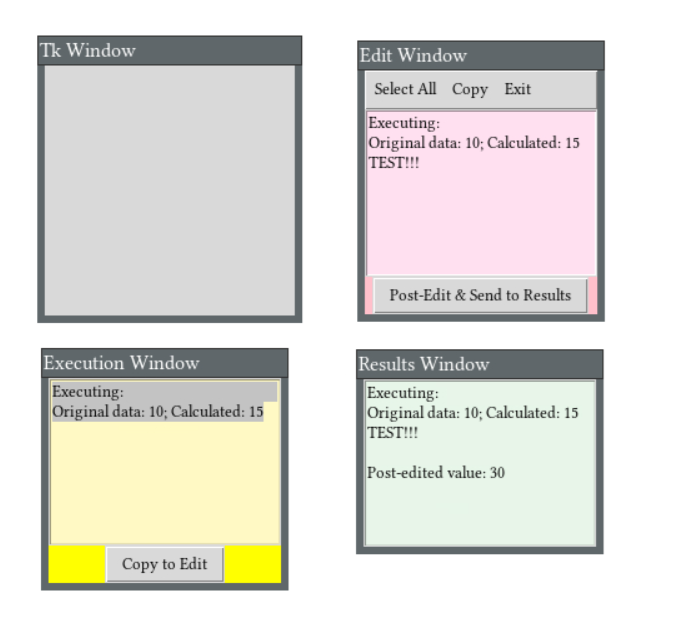
figure 1.
Three windows from Playground
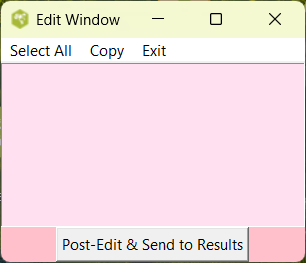
Edit window from Windows 11 Activestate
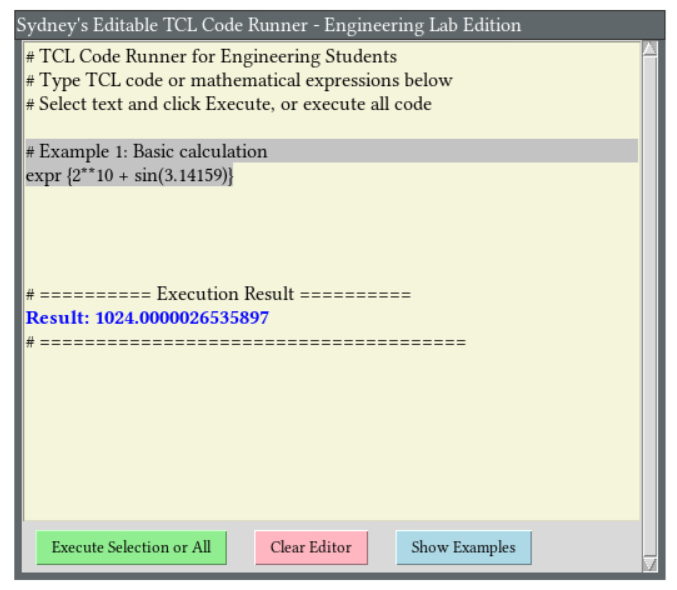
Human & AI Readable Code Runner, from trial code on Playground V9
Human & AI Readable Code extensions, from trial code on Windows 11 ActiveState
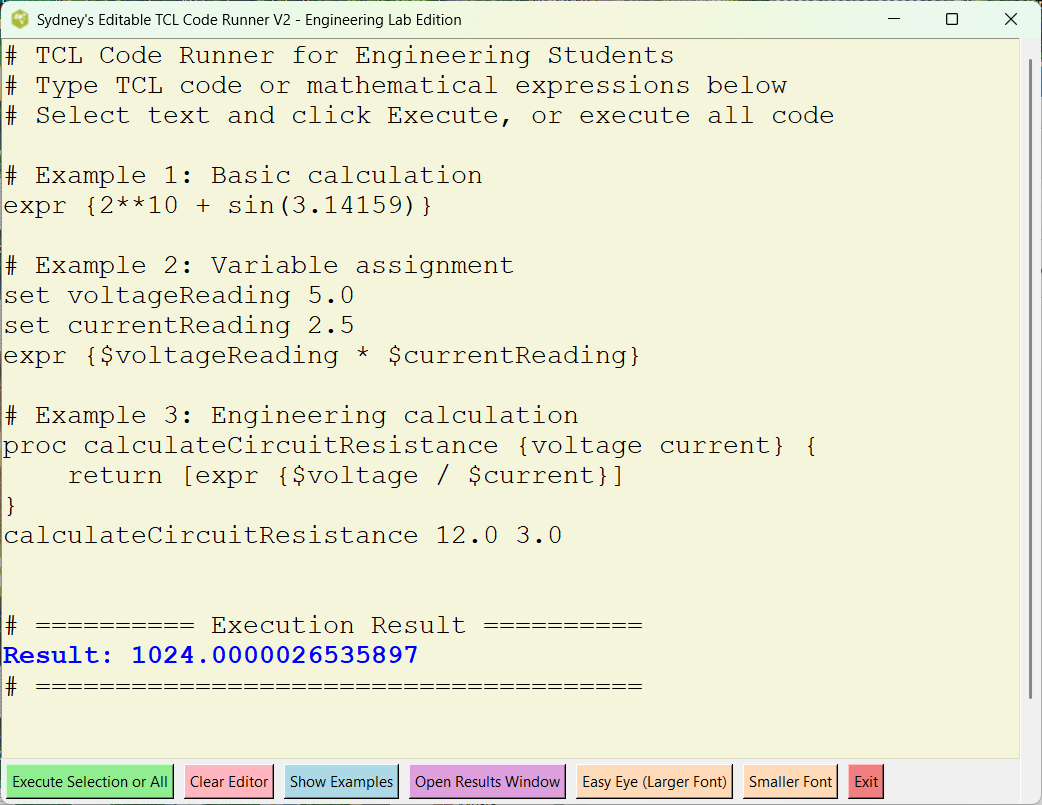
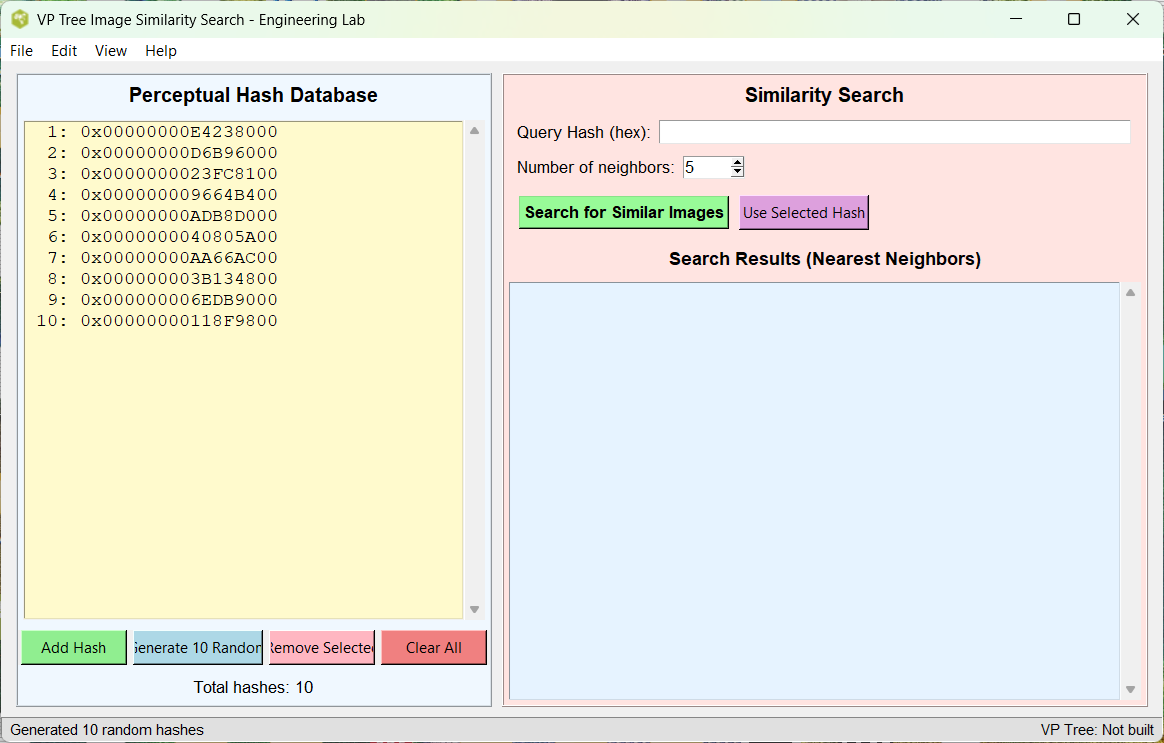
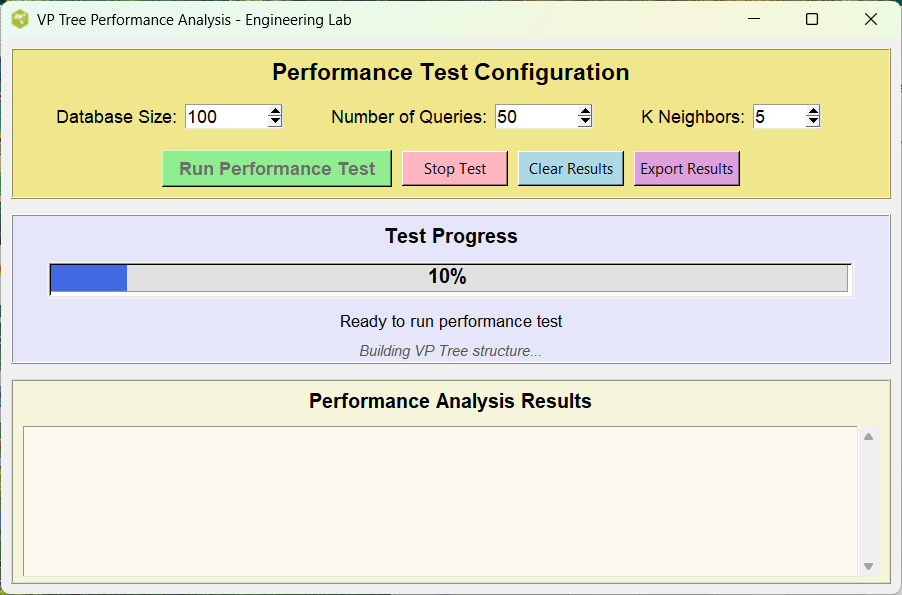
Testing GUI code
How to get sharper (less fuzzy) screenshots from Tcl Playground
The fuzziness comes mainly from CloudTk's web/streamed display + normal screenshot resolution. Be nice to have a high res. PNG dump on results active screen.
Best method, → easiest to do:
1. Browser zoom + full-page high-res screenshot   (usually the sharpest)

   - Zoom the whole page to 150–300% (or more)
     Shortcut:  Ctrl + mouse wheel   or   Ctrl / Cmd + '+'
   - Maximize browser window / go fullscreen
   - Capture FULL page (not just visible part):

     Firefox:
       Right-click anywhere → "Take Screenshot" → "Save full page"

     Chrome / Edge:
       Best: install "Full Page Screen Capture" extension
       Or: DevTools way → Ctrl+Shift+I → Ctrl+Shift+P → type "Capture full size screenshot"

     Safari:
       Cmd+Shift+5 → choose full window or page area

   → Result: very large PNG (lots of pixels) → looks crisp even when viewed or resized later
   Tip: 180–250% zoom works great on most retina/high-DPI screens
Page Is Under Development
This page is under development. Comments are welcome, but please load any comments in the comments section at the bottom of the page. Please include your wiki MONIKER and date in your comment with the same courtesy that I will give you. Aside from your courtesy, your wiki MONIKER and date as a signature and minimal good faith of any internet post are the rules of this TCL-WIKI. Its very hard to reply reasonably without some background of the correspondent on his WIKI bio page. Thanks, gold 5Jan2026
gold 01/15/2026. Added categories, so can find message in Wiki.
Hidden Comments Section
Program Change Log
gold 12/14/2025. Testing, encountered initial difficulty in saving work? Long code blocks with or unmatched wiki markup can sometimes confuse the Tcl Wiki formatting engine, especially if fences are not balanced or a line begins with markup it treats specially.
Please place any comments here with your wiki MONIKER and date, Thanks.gold12Dec2025
Note. Testing computer methods and computer programs, maybe wrong numbers.
| Category Numerical Analysis | Category Toys | Category Calculator | Category Mathematics | Category Example | Toys and Games | Category Games | Category Application | Category GUI |