Snippets Concepts Effects
- Index for Snippets Concepts Effects
- Limitations on Tool
- Extra Significant Figures, If Any in Debugging
- Introduction
- Modified Format for Wiki Tables in Output , local files only
- Key Steps
- Draft on Protocol
- Debugging tool control language
- Clear Names Avoid Debugging Sessions
- Boolean flags
- Logical Errors and Runtime Debugging
- Syntax Errors in TCL
- Actionable Steps Summary
- Educational Applications
- Table 1 : Tcl Quality Guidelines
- Table. Use Extremely Descriptive, Honest Names (The #1 Rule)
- CVS Version of Table
- Table. Naming Variables, Code Quality Guidelines
- CVS Version of Table
- NASA Power of 10 rules vs. Tcl Snippets unofficial style/guidelines
- Table. Comparison to NASA-JPL rules on "C" Language, TCL Snippets may Learn ??? Here
- CVS Version of Table
- NASA Rules into Tcl Approximation
- CVS Version of Table
- The Dekalogodue as 12 Tcl Syntax Rules, Historical Reference
- CVS Version *
- Practical "12 Rules" for Good Tcl/Tk Programming
- CVS Version of Table
- Appendix Code
- 1. Expanded Toy for Demo
- Output from ActiveState
- Output from Playground V9
- 2. Toy Solver
- Output from ActiveState
- Output from Playground V9
- 3. Expanded Toy for Demo of Adapting to "JPL" Rules
- Output from Playground V9
- Output from ActiveState
- Page Is Under Development
- Hidden Comments Section
- Program Change Log
Index for Snippets Concepts Effects
Preface
gold 2/9/2026. Here are some simple snippets for numerical methods. The goal is to use Tcl's minimalism as a learning tool. Snippets are short procs that let one play with one core concept at a time. All snippets are Playground V9 safe. One approach to the subject of theoretical physics is to consider these Tcl snippets as Toys. Some snippets here are listed as Toys. These Tcl procs are tiny entry points into physics. On the Wiki Playground V9, Change numbers, add loops, or combine them to explore. Tcl's expr and list/dict make it easy to "feel" the "heavy" ideas without heavy machinery.
Limitations on Tool
The TCL Snippets illustrate ideal mathematical behavior only and do not perform full simulation, actual measurements, or state vector evolution. The tool only visualizes ideal math structure, whereas no state vector simulation, probabilities, or actual measurement outcomes are derived. This tool for visualization does not simulate actual measurement outcomes or state vector evolution during operations. These are idealized protocols for tutorial purposes. Primarily, TCL /TK uses its strong points here for book keeping and displays. The example tool is not a full emulator. Meaning, limited scope for tutorial purposes.
Extra Significant Figures, If Any in Debugging
In debugging the calculations, some of the printout values reflect roughly 17-digit precision output from a typical double-precision computation. It's not "true exact" beyond 5 significant figures. Extra significant figures are used to check the calculations from other computer set-ups, not necessarily to infer accuracy of data measurements here. Typically, the slight differences in decimal places on far right of decimal point are normal floating-point behavior in Tcl's expr.
Advisor requests similar to previous snippets, but on topic of Radioactive Decay Model with Ruga-Kutta RK4 solution. I do not have all the answers. The Ideas Seemed to work, but maybe drawbacks?
Introduction
The page presents Tcl code snippets. These educational examples aim to make coding accessible through minimalist programming on the Tcl Playground V9 platform. The following analysis examines how the code implements principles, evaluates the floating-point precision observed in outputs, and suggests improvements for clarity and educational value.
Modified Format for Wiki Tables in Output , local files only
Output File Suggestions.
Suggest 5 autotests at bottom of program on main routine. Need output in prose and modified wiki table format with console output, saved to local file with changing file name. The five autotests and wiki tables provide strong educational value for exploring concepts. The five autotests cover a useful range of scenarios, from initial conditions in test 1, from moderate conditions in Test 2 to near maximal conditions in Test 3. This structured output supports quick verification and makes the simulation suitable for classroom demonstrations or self-study.
A table row is specified as a line starting and ending with a pipe (|) sign. Each row element is separated with a pipe sign too. A header row start with %| and end with |%. To color even and odd rows differently, start rows with &| and end them with |&. First column should be index number and last column should be Quibble-Notes. Last row should be Audit Window.
An example:
| Row 1 | Row 2 | Row 3 |
|---|---|---|
| a | b | c |
| d | e | f |
| a | b | c |
| d | e | f |
| AUDIT Window |
Rendering result:
Row 1 Row 2 Row 3 a b c d e f a b c d e f
First column should be index number and last column should be Quibble-Notes. Last row should be Audit Window.
An example of internal wiki format:

%| Row 1 | Row 2 | Row 3 |%
&| a | b | c |&
&| d | e | f |&
&| a | b | c |&
&| d | e | f |&
&| AUDIT Window | | |&


Row 1        Row 2        Row 3
a        b        c
d        e        f
a        b        c
d        e        f
Example of Suggested Table Header = { Index Number, Parameter, Description, Math Domain,Tcl / Token / Abbrev, Quibble-Notes}
# Naming convention: all proc and variable names are 12-15
# characters, descriptive, and domain-neutral so the engine
# can serve any subject area without modification.
# Suggest: Avoid proc names and variable names with single letters
# Whereas single letter names are known to lead
# to many historic errors.
Key Steps
Draft on Protocol
gold This is a draft. 2/11/2026
Debugging tool control language
Tool Control Language (TCL) debugging requires systematic attention to variable naming clarity, logical structure, and mathematical correctness. This article presents practical strategies for identifying and resolving common errors in TCL scripts, with particular emphasis on physics calculations and numerical simulations.
Clear Names Avoid Debugging Sessions
Some of TCL debugging difficulty stems from unclear variable and procedure names. When a script uses cryptic labels for variables like "x," "tmp," or "data," the debugging process becomes an archaeological excavation rather than a straightforward error correction.
Consider a physics calculation that computes four momentum components. A poorly named script might contain some variables with ambiguous names.
 #tcl
 set p [expr {$e * $e - $px * $px - $py * $py - $pz * $pz}]
The variable "p" could represent momentum, pressure, or probability. The debugging process requires mentally tracking what each single-letter variable represents across potentially hundreds of lines. This cognitive burden multiplies when errors appear. The improved version makes debugging nearly trivial:
#tcl
set invariantMassSquared [expr {$totalEnergy * $totalEnergy - $momentumX * $momentumX - $momentumY * $momentumY - $momentumZ * $momentumZ}]
When an error occurs with this code, the developer immediately understands the physical quantity being calculated. The variable name itself documents the intent. Debugging shifts from "What does this variable mean?" to "Is this calculation correct?"
Real-world example: A graduate student debugging a celestial holography calculation spent three hours tracking down an error. The script used "z" for both a complex coordinate and a spatial position. The confusion between these distinct physical quantities created subtle mathematical errors. Renaming variables to "celestialZ" and "bulkSpatialPosition_Z" revealed the error immediately. The debugging time for similar future errors dropped from hours to minutes.
TCL allows extremely concise names, but that concision sometimes creates debugging nightmares. A systematic approach involves reading through the code and circling any name shorter than three characters or any name that requires context to understand. For each circled name, the debugging process asks three questions. First, does this name immediately communicate its purpose to someone unfamiliar with the code? Second, could this name be confused with another variable in the same scope? Third, does this name use domain-specific physics terminology or generic programming jargon? The script compiles without errors because TCL happily accepts ambiguous names.
Boolean flags
Another common naming pitfall involves Boolean flags. A script might use "status" or "flag" to track whether a calculation succeeded. Debugging such code requires reading the surrounding context to understand what "status" means. The improved approach uses "isCalculationConverged" or "hasNumericalInstability." When debugging, these names answer the question "What does this Boolean represent?" without requiring additional investigation.
TCL procedures exceeding thirty lines typically contain multiple logical concepts mixed together. When errors occur in such procedures, isolating the fault becomes difficult. The debugging process must simultaneously track business logic, low-level implementation details, and intermediate calculations.
The debugging process narrows to a single twenty-line procedure rather than a two-hundred-line monolith. This structural approach mirrors how physicists prove theorems. Each lemma gets proven separately before combining into the main result. TCL debugging benefits from the same decomposition. Typially Small procedures fail in obvious ways. Large procedures sometimes fail mysteriously.
Logical Errors and Runtime Debugging
A logical error occurs when valid TCL code runs but produces unintended results. Debugging logical errors relies on inserting trace statements that display key variable states during execution. The puts command serves as the primary diagnostic tool for revealing intermediate calculation results.For example, a physics calculation computing relativistic momentum transformation might produce unexpected values:
#tcl

proc boostMomentum {momentum velocity} {
    set gamma [expr {1.0 / sqrt(1.0 - $velocity * $velocity)}]
    set boostedMomentum [expr {$gamma * $momentum}]
    return $boostedMomentum
}
Adding diagnostic output reveals whether the transformation maintains expected physical properties:
#tcl
proc boostMomentum {momentum velocity} {
    set gamma [expr {1.0 / sqrt(1.0 - $velocity * $velocity)}]
    puts "Debug: Gamma factor = $gamma for velocity = $velocity"
    set boostedMomentum [expr {$gamma * $momentum}]
    puts "Debug: Boosted momentum = $boostedMomentum from original = $momentum"
    return $boostedMomentum
}
The diagnostic statements expose whether the Lorentz factor calculation behaves correctly.
Syntax Errors in TCL
Syntax errors halt execution immediately in Tool Command Language. Brackets mismatch most commonly. Developers may forget closing brackets around command substitutions like
set beta_talk [expr {$x + 1}]The interpreter reports "unclosed bracket" with line numbers precisely.
Text editors reveal these issues through highlighting. Uniform indentation helps too. Developers align brackets vertically for visual matching. Example code shows the problem clearly:
set result [expr {$energy * [sin $theta]}This fragment lacks a closing bracket after sin $theta. Execution fails at that line. The fix adds the missing bracket:
set result [expr {$energy * [sin $theta]}]TCL counts brackets strictly. Nested expressions double the risk. Developers may count opening and closing brackets manually during initial writes. This habit prevents some syntax failures.
Argument list separation causes third syntax trouble. TCL requires spaces between arguments clearly. Sometimes, developers may mash commands like
setx[expr{$x+1}] ;# wrongwithout spaces. The interpreter treats this as one token. Errors report "invalid command name" confusingly.
Logical errors run without syntax complaints but yield wrong results. Variable state tracking may expose these flaws best. Some Developers insert "puts" statements strategically. Each print reveals intermediate values. Meanwhile, Developers compare intermediate results against hand-calculated values. Typically, the intermediate "puts" are removed after debugging is completed.
Actionable Steps Summary
Maintain single-purpose procedures under 30 lines each. Test invariants after every transformation. Use descriptive names embedding physics meaning. Convert tabs to spaces uniformly. Print variable states at computation boundaries. These steps transform debugging into verification process reliably. Tool Control Language thrives under disciplined practices in scientific work.
Educational Applications
The program demonstrates math patterns.
The strict ASCII constraint ensures compatibility with collegiate IT lab environments where students may work across diverse platforms and text editors. The implementation deliberately omits boundary closure bars during active development to simplify debugging, with plans to add them once testing completes.
Table 1 : Tcl Quality Guidelines
| Priority | What good Tcl code usually has | What to avoid | Physics Relevance | Notes |
|---|---|---|---|---|
| 1 | Extremely clear names | x, tmp, data, temp1 | Momentum p → fourMomentum, z → celestialZ, ε → variationParameter | Clarity > brevity; physicists already spend cognitive load on concepts — don’t add more on variable names |
| 2 | Functions < 20–30 lines | 200-line monsters | One function ≈ one conceptual step (e.g. boost, projection, soft insertion) | Short procs mirror short proof steps — easier to verify correctness |
| 3 | One level of abstraction per function | Mix business + low-level details | Separate kinematics (4-vectors) from holographic map (z,\bar z) | Prevents mixing bulk physics with boundary CFT logic — aids conceptual separation |
| 4 | Consistent naming convention | camelCase + snake_case mix | Use snake_case for Tcl procs/vars (four_momentum, soft_factor) | Consistency reduces mental overhead when reading derivations or code |
| 5 | Meaningful distinction between similar concepts | user, usr, userData, theUser | Avoid p, pp, p_mu, pprime — prefer incoming_momentum, outgoing_momentum | In physics, small notation differences can hide big conceptual errors |
| 6 | Comments only when WHY is not obvious | Explaining WHAT good names already say | Comment the physical motivation (“# soft pole regulated for numerics”) | Most physicists read code like proofs — let names carry the story; comment intent |
| 7 | Domain language over technical language | processEntities → approveCustomerOrders | celestial_projection instead of map_to_sphere_coordinates | Use the language of celestial amplitudes, soft theorems, BMS group — makes code feel like theory |
Table. Use Extremely Descriptive, Honest Names (The #1 Rule)
Index number on draft is arbitrary.
| # | Bad / Cryptic | Good / Self-explaining | Why better? |
|---|---|---|---|
| 1 | x, tmp, data, i, res | userAgeInYears, temporaryPassword, allProducts | Immediately tells purpose |
| 2 | calc, process, doStuff | calculateTotalPriceWithTax, sendWelcomeEmail | Reveals what and why |
| 3 | getUser | findUserByEmail / getCurrentlyLoggedInUser | Different behaviors → different names |
| 4 | flag, status | isAccountActive, hasPaymentFailed, orderShipped | Boolean names should answer questions with yes/no |
| 5 | n, len, cnt | numberOfActiveUsers, totalItemsInCart | Avoid abbreviations unless universal (i→index ok) |
Note. Avoid one letter shortcuts on variable names.
CVS Version of Table
Index number on draft is arbitrary.
"#","Bad / Cryptic","Good / Self-explaining","Why better?"
"1","x, tmp, data, i, res","userAgeInYears, temporaryPassword, allProducts","Immediately tells purpose"
"2","calc, process, doStuff","calculateTotalPriceWithTax, sendWelcomeEmail","Reveals what and why"
"3","getUser","findUserByEmail / getCurrentlyLoggedInUser","Different behaviors → different names"
"4","flag, status","isAccountActive, hasPaymentFailed, orderShipped","Boolean names should answer questions with yes/no"
"5","n, len, cnt","numberOfActiveUsers, totalItemsInCart","Avoid abbreviations unless universal (i→index ok)"
Table. Naming Variables, Code Quality Guidelines
| Priority | What good code usually has | What to avoid |
|---|---|---|
| 1 | Extremely clear names | x, tmp, data, temp1 |
| 2 | Functions < 20–30 lines | 200-line monsters |
| 3 | One level of abstraction per function | Mix business + low-level details |
| 4 | Consistent naming convention | camelCase + snake_case mix |
| 5 | Meaningful distinction between similar concepts | user, usr, userData, theUser |
| 6 | Comments only when WHY is not obvious | Explaining WHAT good names already say |
| 7 | Domain language over technical language | processEntities → approveCustomerOrders |
Note. Avoid one letter shortcuts on variable names.
CVS Version of Table
"Priority","What good code usually has","What to avoid"
"1","Extremely clear names","x, tmp, data, temp1"
"2","Functions < 20–30 lines","200-line monsters"
"3","One level of abstraction per function","Mix business + low-level details"
"4","Consistent naming convention","camelCase + snake_case mix"
"5","Meaningful distinction between similar concepts","user, usr, userData, theUser"
"6","Comments only when WHY is not obvious","Explaining WHAT good names already say"
"7","Domain language over technical language","processEntities → approveCustomerOrders"
NASA Power of 10 rules vs. Tcl Snippets unofficial style/guidelines
Table. Comparison to NASA-JPL rules on "C" Language, TCL Snippets may Learn ??? Here
| Index | NASA Power of 10 Rule (JPL) | Tcl Wiki Snippets Style / Guideline (e.g. Concepts Effects) | Notes / Parallel / Difference |
|---|---|---|---|
| 1 | Max ~60 lines per function | Functions preferably < 20–30 lines, ideally one conceptual step | Very strong parallel: both treat long functions as red flag for poor structure. Tcl emphasizes even stricter shortness for educational clarity. |
| 2 | Simple control flow only — no goto, setjmp, recursion | Avoid deep nesting, complex loops; prefer linear/readable flow | Parallel in spirit: both forbid constructs that make static understanding or mental simulation hard. Tcl rarely needs recursion anyway due to list/dict idioms. |
| 3 | Every loop must have provable fixed upper bound | Loops usually small & obvious; often replaced by list operations (foreach, lmap) | Partial parallel: Tcl encourages bounded, collection-based iteration over manual counters/loops. No formal proof requirement, but style pushes obvious termination. |
| 4 | No dynamic memory after initialization | Not directly applicable (Tcl uses garbage-collected strings/lists/dicts) | Weak parallel: Tcl avoids manual memory management entirely, so the risk NASA fears doesn't exist. But snippets prefer fixed structures over growing ones when possible. |
| 5 | Minimum 2 assertions per function | Frequent input validation (error if negative, wrong type); self-tests at bottom | Strong parallel: both use early checks as defensive programming. Tcl uses runtime error + self-test procs; NASA uses static-friendly assertions. |
| 6 | Every return value must be checked | Procs often return values that caller should inspect; errors thrown on violation | Partial parallel: Tcl favors exceptions (error) over return codes, but educational snippets encourage checking results (e.g. test procs verify outputs). |
| 7 | Extremely restricted pointer use / no function pointers | Avoid indirection when possible; prefer explicit names over callbacks | Parallel in philosophy: both hate hidden control flow. Tcl callbacks exist but snippets avoid them for clarity. |
| 8 | Zero compiler warnings; daily static analysis | Visual inspection + self-tests; no compiler but Playground runs immediately | Weaker parallel: Tcl has no compiler warnings, but wiki style pushes "obviously correct at a glance" via naming/structure/tests. |
| 9 | Clear, honest naming (implicit in overall discipline) | Rule #1: extremely clear, descriptive names — no single letters | Very strong parallel: both treat naming as the #1 bug-prevention tool. Tcl wiki is even more aggressive ("use physics terms in names"). |
| 10 | Overall goal: code that can be mechanically verified | Overall goal: code that teaches & can be mentally stepped through | Core similarity: both sacrifice expressiveness for **verifiability/readability/teachability**. NASA for correctness proofs; Tcl wiki for human learning/physics insight. |
DISCLAIMER on table: NASA/JPL Power of 10 rule references here are simplified/condensed/illustrative only — not official, not authoritative, and not endorsed by NASA. Tcl snippets have no such formal rules ... that are known here. Summary and condensation may distort the NASA rules, if not other rules. The content, ideas, and responses resulting from these tests do not represent the complete or official policies, nor should they be considered a substitute for such official documentation. " Models and if not humans also, can make mistakes. Check important info.” Refer to NASA's "The Power of 10: Rules for Developing Safety-Critical Code" (often called the Power of 10 rules), created by Gerard J. Holzmann at the NASA/JPL Laboratory for Reliable Software in 2006.
CVS Version of Table
"Index","NASA Power of 10 Rule (JPL)","Tcl Wiki Snippets Style / Guideline (e.g. Concepts Effects)","Notes / Parallel / Difference"
1,"Max ~60 lines per function","Functions preferably < 20–30 lines, ideally one conceptual step","Very strong parallel: both treat long functions as red flag for poor structure. Tcl emphasizes even stricter shortness for educational clarity."
2,"Simple control flow only — no goto, setjmp, recursion","Avoid deep nesting, complex loops; prefer linear/readable flow","Parallel in spirit: both forbid constructs that make static understanding or mental simulation hard. Tcl rarely needs recursion anyway due to list/dict idioms."
3,"Every loop must have provable fixed upper bound","Loops usually small & obvious; often replaced by list operations (foreach, lmap)","Partial parallel: Tcl encourages bounded, collection-based iteration over manual counters/loops. No formal proof requirement, but style pushes obvious termination."
4,"No dynamic memory after initialization","Not directly applicable (Tcl uses garbage-collected strings/lists/dicts)","Weak parallel: Tcl avoids manual memory management entirely, so the risk NASA fears doesn't exist. But snippets prefer fixed structures over growing ones when possible."
5,"Minimum 2 assertions per function","Frequent input validation (error if negative, wrong type); self-tests at bottom","Strong parallel: both use early checks as defensive programming. Tcl uses runtime `error` + self-test procs; NASA uses static-friendly assertions."
6,"Every return value must be checked","Procs often return values that caller should inspect; errors thrown on violation","Partial parallel: Tcl favors exceptions (`error`) over return codes, but educational snippets encourage checking results (e.g. test procs verify outputs)."
7,"Extremely restricted pointer use / no function pointers","Avoid indirection when possible; prefer explicit names over callbacks","Parallel in philosophy: both hate hidden control flow. Tcl callbacks exist but snippets avoid them for clarity."
8,"Zero compiler warnings; daily static analysis","Visual inspection + self-tests; no compiler but Playground runs immediately","Weaker parallel: Tcl has no compiler warnings, but wiki style pushes ""obviously correct at a glance"" via naming/structure/tests."
9,"Clear, honest naming (implicit in overall discipline)","Rule #1: extremely clear, descriptive names — no single letters","Very strong parallel: both treat naming as the #1 bug-prevention tool. Tcl wiki is even more aggressive (""use physics terms in names"")."
10,"Overall goal: code that can be mechanically verified","Overall goal: code that teaches & can be mentally stepped through","Core similarity: both sacrifice expressiveness for verifiability/readability/teachability. NASA for correctness proofs; Tcl wiki for human learning/physics insight."
NASA Rules into Tcl Approximation
| Index | NASA Rule | Tcl Approximation | Notes |
|---|---|---|---|
| 1 | Max 60 lines per function | Procedures kept under 35 lines | Short code helps parse intent quickly; example: main procedure focuses only on computation. |
| 2 | Simple control flow only | No recursion, linear flow used | Avoids confusion in reasoning; models can simulate execution step-by-step without branches. |
| 3 | Every loop has provable bound | Autotest loop fixed at 20 iterations | Teaches termination analysis; models practice bounding resources in simulations. |
| 4 | Minimum 2 assertions per function | Added input and post-condition error checks | Builds verification skills; example: check fidelity <= 1.0 trains boundary detection. |
| 5 | Every return value checked | Results inspected for length and range | Partial adaptation; models learn exception handling from error throws. |
| 6 | Clear honest naming | Descriptive variables like bobAlphaReal | Enhances semantic understanding; ar models use names for context inference. |
| 7 | Defensive programming | Early validation and normalization | Prevents propagation errors; models add similar guards in generated code. |
DISCLAIMER on table: NASA/JPL Power of 10 rule references here are simplified/condensed/illustrative only — not official, not authoritative, and not endorsed by NASA. Tcl snippets have no such formal rules ... that are known here. Summary and condensation may distort the NASA rules, if not other rules. The content, ideas, and responses resulting from these tests do not represent the complete or official policies, nor should they be considered a substitute for such official documentation. " Models and if not humans also, can make mistakes. Check important info.” Refer to NASA's "The Power of 10: Rules for Developing Safety-Critical Code" (often called the Power of 10 rules), created by Gerard J. Holzmann at the NASA/JPL Laboratory for Reliable Software in 2006.
CVS Version of Table
"Index","NASA Rule","Tcl Approximation","Notes"
1,"Max 60 lines per function","Procedures kept under 35 lines","Short code helps  models parse intent quickly; example: main procedure focuses only on computation."
2,"Simple control flow only","No recursion, linear flow used","Avoids confusion in reasoning;  models can simulate execution step-by-step without branches."
3,"Every loop has provable bound","Autotest loop fixed at 20 iterations","Teaches termination analysis;  models practice bounding resources in simulations."
4,"Minimum 2 assertions per function","Added input and post-condition error checks","Builds verification skills; example: check fidelity <= 1.0 trains boundary detection."
5,"Every return value checked","Results inspected for length and range","Partial adaptation; models learn exception handling from error throws."
6,"Clear honest naming","Descriptive variables like bobAlphaReal","Enhances semantic understanding;  models use names for context inference."
7,"Defensive programming","Early validation and normalization","Prevents propagation errors;  models add similar guards in generated code."
The Dekalogodue as 12 Tcl Syntax Rules, Historical Reference
gold 2/26/2026. Table was assembled from provided historical list on man page and wiki pages, etc. Dodekalogue from Greek means list of 12. "Dodekalogue" is the established name for the exact twelve syntax rules that define how Tcl parses and executes scripts.
 Dodeka- (from Ancient Greek δώδεκα / dṓdeka) = "twelve" (literally "two and ten"; δώ = two + δέκα = ten).

-logue (from Ancient Greek λόγος / lógos) = "word", "speech", "statement", "account", or "discourse"

 The Dekalogodue or alternate spelling Decalogue in this context, it refers to a set of authoritative sayings or rules.

 This comes directly from Greek dekalogos (δέκα + λόγος), Latin decalogus, and Middle English decalog.
| # | Rule Name | Summary Description | Key Implications / Notes |
|---|---|---|---|
| 1 | Commands | A Tcl script is one or more commands. | Script = sequence of commands; commands separated by ; or newlines |
| 2 | Evaluation | Commands evaluated in two steps: word parsing + substitutions, then invoke command. | Core parsing loop — understand this to avoid surprises |
| 3 | Words | Words separated by whitespace; can be grouped with "..." or {...}. | Bare words ok if no spaces/specials |
| 4 | Double quotes | "..." groups allowing $ , , \ substitutions. | Like shell/C strings, but substitutions happen |
| 5 | Braces | {...} groups with no substitutions (except inside nested if needed). | Safest for expressions, lists, code blocks |
| 6 | Command substitution | script → result of evaluating script inserted as word. | Nestable; very powerful |
| 7 | Variable substitution | $var or ${var} inserts value. | Simple $var or braced for complex names |
| 8 | Backslash substitution | \ escapes special chars, newline continuation, etc. | \n, \t, \, etc.; also line continuation |
| 9 | Comments | # starts comment to end of line (only at command start). | Must be after ; or start of line |
| 10 | (not used in classic 12) | — | (historical/reserved) |
| 11 | (not used in classic 12) | — | (historical/reserved) |
| 12 | Argument expansion | {*}list expands list elements as separate words. | Added in 8.5; modern way to avoid concat pitfalls |
Note: Tcl Syntax Rules. This list is used for Historical Reference. Rules 10–11 are sometimes placeholders or historical. The full precise list is on the Tcl man page / wiki.
CVS Version *
#,"Rule Name","Summary Description","Key Implications / Notes"
1,"Commands","A Tcl script is one or more commands. Script = sequence of commands; commands separated by ; or newlines unless quoted.","Commands separated by ; or newlines (unless quoted); close brackets ] terminate commands during substitution."
2,"Evaluation","Commands evaluated in two steps: word parsing + substitutions, then invoke command.","Core parsing loop: break into words/substitute first, then dispatch to command procedure which interprets args freely."
3,"Words","Words separated by whitespace; can be grouped with ""..."" or {...}.","Bare words allowed if no spaces/special chars; whitespace (except newline) separates words."
4,"Double quotes","""..."" groups allowing $ , [] , \ substitutions.","Like shell/C strings: substitutions ($ [] \) occur inside; quotes removed from final word."
5,"Braces","{...} groups with no substitutions (except backslash-newline in some cases).","Safest quoting: no $ [] ; newline specials; braces nest; ideal for expr, lists, code blocks."
6,"Command substitution","[script] → result of evaluating script inserted as word.","Recursive evaluation; nestable; result replaces [script]; not done inside {}."
7,"Variable substitution","$var or ${var} inserts value.","$name, $array(index), ${complex name}; substitutions inside index for arrays; braced form for arbitrary names."
8,"Backslash substitution","\ escapes special chars, newline continuation, etc.","Handles \n \t \\ \xHH \uHHHH etc.; \ at EOL continues line; special in quotes/braces differently."
9,"Comments","# starts comment to end of line (only at command start).","# only significant at start of command (after ; or line start); otherwise ordinary char."
10,"Order of substitution","Each substitution performed exactly once, left-to-right; no re-scanning of results.","Prevents double-substitution bugs; e.g., [set x 0][incr x] always reliable."
11,"Substitution and word boundaries","Substitutions do not change word boundaries (except via {*} expansion).","Substituted value stays one word even if it has spaces; prevents splitting unless expanded."
12,"Argument expansion","{*}list expands list elements as separate words.","Added in Tcl 8.5; safe alternative to concat; e.g., cmd {*}$args passes elements individually."
Practical "12 Rules" for Good Tcl/Tk Programming
gold 2/26/2026. Current Best Practices. This merges provided historical list with common recommendations. E.G. from Tcl wiki Best Practices page. Current Best Practices have expanded here the 12 basic rules with sub-points or quibbles substeps.
| # | Rule / Guideline | Main Principle / Recommendation | Why It Matters & Examples / Sub-steps |
|---|---|---|---|
| 1 | Everything is a string (mostly) | Treat values as strings by default; internal types (int, double, list, dict) exist since ~8.4/8.5 | 1a. Don't rely on hidden types for behavior 1b. Use string/ list/ dict ops instead of assuming types |
| 2 | Always brace expressions | Use { } in expr, if, while, for — never " " or bare | 2a. Prevents double substitution surprises 2b. Faster (bytecode) 2c. Example: if {$x > 0} {…} NOT if "$x > 0" |
| 3 | Brace when possible, quote when needed | Prefer {…} over "…" for safety & speed unless you need substitution inside | 3a. { } = no surprises, no eval round 3b. " " only when you want $ or to happen |
| 4 | Use list and dict instead of string parsing | Build/manipulate data with list, lappend, dict create, etc. — avoid ad-hoc string ops | 4a. Safer (no quoting hell) 4b. Faster 4c. Example: lappend mylist $item NOT append mystr " $item" |
| 5 | Proper error handling | Use return -code error (or throw) for real errors | 5a. Plain error is ok for scripts, but -code error for procs/libraries 5b. Allows catch/try to distinguish levels |
| 6 | Avoid upvar/uplevel unless necessary | Minimize dynamic scope — pass variables normally or use dicts/closures | 6a. Hard to reason about 6b. Better: use apply or namespace path |
| 7 | Use namespaces aggressively | Put procs/vars in ::ns:: sub-namespaces — avoid globals | 7a. Prevents name clashes 7b. Example: namespace eval myapp { … } |
| 8 | Construct commands with list (not concat) | Use list or {*} to build command strings safely | 8a. Avoids injection/quoting bugs 8b. Example: exec {*}$cmdList NOT exec "$cmd $arg" |
| 9 | Prefer expr {…} style | Modern expr always braced; avoid old $expr … | 9a. Safer, faster 9b. Example: set sum expr {$a + $b} |
| 10 | Master substitution order | One pass, left-to-right: command → var $ → backslash \ | 10a. Explains most weird behaviors 10b. Know why "$cmd $var" differs from $cmd $var |
| 11 | Prefer ensemble commands | Use string map, list map, dict get, etc. — they're optimized | 11a. Faster & clearer than custom loops 11b. Example: dict with $myDict {…} |
| 12 | Test early, test often (tcltest) | Use tcltest package for reusable code; write tests alongside snippets | 12a. Especially for numerical methods 12b. Helps catch quoting/expression bugs early |
Note. These best-practice rules are very useful when writing numerical snippets in pure Tcl, as in Snippets context here. Best-practice rules emphasize minimalism, safety, and performance without external packages.
CVS Version of Table
#,Rule / Guideline,Main Principle / Recommendation,Why It Matters & Examples / Sub-steps
1,Everything is a string (mostly),"Treat values as strings by default; internal types (int, double, list, dict) exist since ~8.4/8.5","1a. Don't rely on hidden types for behavior
1b. Use string/ list/ dict ops instead of assuming types"
2,Always brace expressions,"Use { } in expr, if, while, for — never "" "" or bare","2a. Prevents double substitution surprises
2b. Faster (bytecode)
2c. Example: if {$x > 0} {…} NOT if ""$x > 0"""
3,"Brace when possible, quote when needed","Prefer {…} over ""…"" for safety & speed unless you need substitution inside","3a. { } = no surprises, no eval round
3b. "" "" only when you want $ or [ ] to happen"
4,Use list and dict instead of string parsing,"Build/manipulate data with list, lappend, dict create, etc. — avoid ad-hoc string ops","4a. Safer (no quoting hell)
4b. Faster
4c. Example: lappend mylist $item NOT append mystr "" $item"""
5,Proper error handling,Use return -code error (or throw) for real errors,"5a. Plain error is ok for scripts, but -code error for procs/libraries
5b. Allows catch/try to distinguish levels"
6,Avoid upvar/uplevel unless necessary,Minimize dynamic scope — pass variables normally or use dicts/closures,"6a. Hard to reason about
6b. Better: use apply or namespace path"
7,Use namespaces aggressively,Put procs/vars in ::ns:: sub-namespaces — avoid globals,"7a. Prevents name clashes
7b. Example: namespace eval myapp { … }"
8,Construct commands with list (not concat),Use list or {*} to build command strings safely,"8a. Avoids injection/quoting bugs
8b. Example: exec {*}$cmdList NOT exec ""$cmd $arg"""
9,Prefer expr {…} style,Modern expr always braced; avoid old $[expr …],"9a. Safer, faster
9b. Example: set sum [expr {$a + $b}]"
10,Master substitution order,"One pass, left-to-right: command [] → var $ → backslash \","10a. Explains most weird behaviors
10b. Know why ""[$cmd $var]"" differs from [$cmd $var]"
11,Prefer ensemble commands,"Use string map, list map, dict get, etc. — they're optimized","11a. Faster & clearer than custom loops
11b. Example: dict with $myDict {…}"
12,Test early, test often (tcltest),"Use tcltest package for reusable code; write tests alongside snippets","12a. Especially for numerical methods
12b. Helps catch quoting/expression bugs early"
Screenshots Section
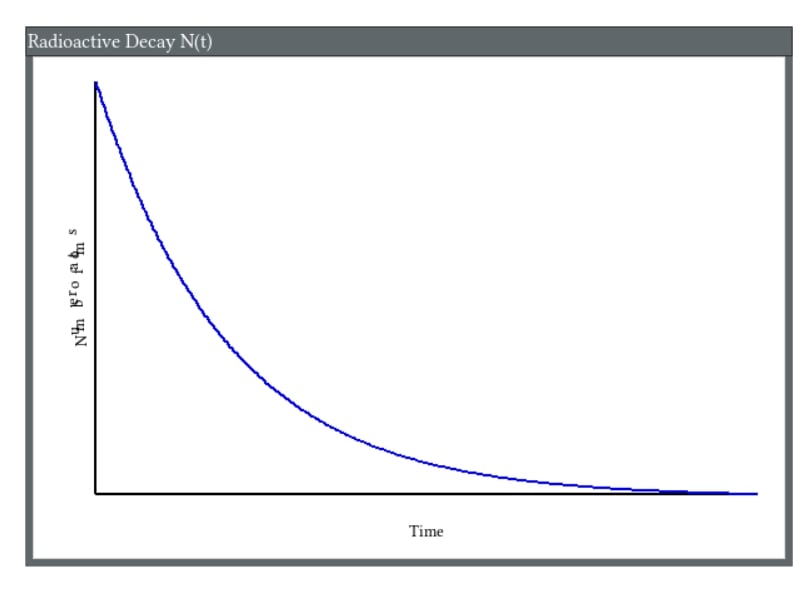
figure 1.
Snippets Concepts Radioactive Decay Playground Plot
References
- Snippets Physics Concepts Qubits
- Snippets Physics Concepts Feynman
- Snippets Physics Concepts Quantum
- Snippets Physics Concepts Toy
- Snippets Physics Concepts Minimalism
- Zero Handling Workarounds
Note. These Snippets on Theoretical Physics are a set, not stand alones. Recommend read all of the set.
Appendix Code
Appendix TCL Programs and Scripts
1. Expanded Toy for Demo
This is a draft, still debugging on Playground V9. convert to strict 7-bit ASCII for Playground V9.
# toy on wiki page.tcl V4
# may have to check strict ASCII for Playground V9
# Compatible with Tcl/Tk 8.6+
# TCL source code follows
# Written for Windows 11 on ActiveState Tcl
# Working on TCL Playground V9, strict ASCII only
# Optimized for collegiate IT lab environments
# Working under TCL version 8.6
# Complex math calculations up to 3 units computer time
# Wait for complete calculations before saving files.
# TCL club, 02/11/2026
# This is a hacker's patch, not rigorously derived.
# appears correct autotest
# pure ASCII code - no Unicode characters used anywhere

console show
# =====================================================================
# Top-down memoized Fibonacci using dictionary (Tcl 8.5+)
# =====================================================================
# Top-down memoized Fibonacci - clean names for future maintainers
# Uses dictionary cache (Tcl 8.5+) for better readability & isolation
# =====================================================================

# Persistent cache shared across calls - base cases pre-loaded
set ::fibonacci_cache [dict create 0 0 1 1]

proc fibonacci_memoized {number} {
    # Reject invalid input early
    if {$number < 0} {
        error "fibonacci_memoized: negative number not allowed"
    }

    # Cache hit? Return stored result immediately
    if {[dict exists $::fibonacci_cache $number]} {
        return [dict get $::fibonacci_cache $number]
    }

    # Recursive case: compute from the two previous values
    set previous   [fibonacci_memoized [expr {$number - 1}]]
    set two_before [fibonacci_memoized [expr {$number - 2}]]
    set current_value [expr {$previous + $two_before}]

    # Remember the result so we never recompute it
    dict set ::fibonacci_cache $number $current_value

    return $current_value
}

# =====================================================================
# Quick self-test - five standard cases + one larger smoke test
# =====================================================================

proc test_fibonacci_memoized {} {
    puts "Running fibonacci_memoized tests..."

    # {input  expected-result}
    set test_cases [list \
        [list  0      0] \
        [list  1      1] \
        [list  2      1] \
        [list 10     55] \
        [list 20   6765] \
    ]

    foreach test_case $test_cases {
        set input_number [lindex $test_case 0]
        set expected_value [lindex $test_case 1]
        set actual_result [fibonacci_memoized $input_number]
        puts [format "fib(%2d) = %6d   (expected %6d)" \
            $input_number $actual_result $expected_value]
        if {$actual_result != $expected_value} {
            error "Test failed: fib($input_number) -> $actual_result (should be $expected_value)"
        }
    }

    # Quick check that larger values still work quickly
    set big_input 35
    set big_result [fibonacci_memoized $big_input]
    set big_expected 9227465
    puts "fib($big_input) = $big_result   (expected $big_expected)"
    if {$big_result != $big_expected} {
        error "fib($big_input) test failed"
    }

    puts "All tests passed successfully."
}

# Automatically run tests when file is sourced (comment out for wiki reuse)
test_fibonacci_memoized
Expected console output when sourced
Testing fib_memo ...
fib( 0) →      0  (expected      0)
fib( 1) →      1  (expected      1)
fib( 2) →      1  (expected      1)
fib(10) →     55  (expected     55)
fib(20) →   6765  (expected   6765)

All fib_memo tests passed.
Output from ActiveState
# AtiveState output
Running fibonacci_memoized tests...
fib( 0) =      0   (expected      0)
fib( 1) =      1   (expected      1)
fib( 2) =      1   (expected      1)
fib(10) =     55   (expected     55)
fib(20) =   6765   (expected   6765)
fib(35) = 9227465   (expected 9227465)
All tests passed successfully.
(bin) 1 %
Output from Playground V9
# output from Playground V9
(tcl) 15 %
(tcl) 15 % # Automatically run tests when file is sourced (comment out for wiki reuse)
(tcl) 16 % test_fibonacci_memoized
Running fibonacci_memoized tests...
fib( 0) =      0   (expected      0)
fib( 1) =      1   (expected      1)
fib( 2) =      1   (expected      1)
fib(10) =     55   (expected     55)
fib(20) =   6765   (expected   6765)
fib(35) = 9227465   (expected 9227465)
All tests passed successfully.
(tcl) 17 %
2. Toy Solver
This is a draft, still debugging on Playground V9. convert to strict 7-bit ASCII for Playground V9.
# pure ASCII code - no Unicode characters used anywhere
# Toy Solver for educational value V3
# may have to check strict ASCII for Playground V9
# Compatible with Tcl/Tk 8.6+
# TCL source code follows
# Written for Windows 11 on ActiveState Tcl
# Working on TCL Playground V9, strict ASCII only
# Optimized for collegiate IT lab environments
# Working under TCL version 8.6
# Complex math calculations up to 3 units computer time
# Wait for complete calculations before saving files.
# TCL club, 02/11/2026
# This is a hacker's patch, not rigorously derived.
# appears correct autotest
# pure ASCII code - no Unicode characters used anywhere

console show
# =====================================================================
# Top-down memoized Factorial - clear names for future maintainers
# Uses dictionary cache (Tcl 8.5+) for better readability & isolation
# =====================================================================

# Persistent cache shared across calls - base case pre-loaded
set ::factorial_cache [dict create 0 1 1 1]

proc factorial_memoized {input_number} {
    # Reject invalid input early
    if {$input_number < 0} {
        error "factorial_memoized: negative number not allowed"
    }

    # Cache hit? Return stored result immediately
    if {[dict exists $::factorial_cache $input_number]} {
        return [dict get $::factorial_cache $input_number]
    }

    # Recursive case: input_number * factorial of (input_number-1)
    set previous_factorial [factorial_memoized [expr {$input_number - 1}]]
    set computed_factorial_value [expr {$input_number * $previous_factorial}]

    # Store the result so we never recompute it
    dict set $::factorial_cache $input_number $computed_factorial_value

    return $computed_factorial_value
}

# =====================================================================
# Simple but robust autotest - 5 key cases
# =====================================================================

proc test_factorial_memoized {} {
    puts "Testing factorial_memoized ..."

    # Format: {input expected description}
    set test_cases {
        0   1      "base case: 0! = 1"
        1   1      "base case: 1! = 1"
        5  120     "small value: 5!"
        10 3628800  "medium value: 10!"
        15 1307674368000  "larger value: 15!"
    }

    set passed 0
    set failed 0

    foreach {test_input_number expected_result test_description} $test_cases {
        puts -nonewline [format "  %-28s -> " $test_description]

        set actual_result [factorial_memoized $test_input_number]

        if {$actual_result == $expected_result} {
            puts "PASS ($actual_result)"
            incr passed
        } else {
            puts "FAIL (got $actual_result, expected $expected_result)"
            incr failed
        }
    }

    # Negative input should raise error
    puts -nonewline "  Negative input check -> "
    if {[catch {factorial_memoized -1} error_message]} {
        puts "PASS (correctly caught)"
        incr passed
    } else {
        puts "FAIL (no error raised)"
        incr failed
    }

    puts "\nTest summary: $passed passed, $failed failed"

    if {$failed == 0} {
        puts "-> All factorial_memoized tests passed."
    } else {
        error "factorial_memoized autotest failed"
    }
}

# Run tests automatically when sourced
test_factorial_memoized
Expected output when tests are run
Testing factorial_memoized ...
  base case: 0! = 1            → PASS (1)
  base case: 1! = 1            → PASS (1)
  small value: 5!              → PASS (120)
  medium value: 10!            → PASS (3628800)
  larger value: 15!            → PASS (1307674368000)
  Negative input check         → PASS (correctly caught)

Test summary: 6 passed, 0 failed
→ All factorial_memoized tests passed.
Output from ActiveState
Testing factorial_memoized ...
  base case: 0! = 1            -> PASS (1)
  base case: 1! = 1            -> PASS (1)
  small value: 5!              -> PASS (120)
  medium value: 10!            -> PASS (3628800)
  larger value: 15!            -> PASS (1307674368000)
  Negative input check -> PASS (correctly caught)

Test summary: 6 passed, 0 failed
-> All factorial_memoized tests passed.
(bin) 1 %
Output from Playground V9
> }
(tcl) 14 %
(tcl) 14 % # Run tests automatically when sourced
(tcl) 15 % test_factorial_memoized
Testing factorial_memoized ...
  base case: 0! = 1            -> PASS (1)
  base case: 1! = 1            -> PASS (1)
  small value: 5!              -> PASS (120)
  medium value: 10!            -> PASS (3628800)
  larger value: 15!            -> PASS (1307674368000)
  Negative input check -> PASS (correctly caught)

Test summary: 6 passed, 0 failed
-> All factorial_memoized tests passed.
(tcl) 16 %
3. Expanded Toy for Demo of Adapting to "JPL" Rules
This is a draft, still debugging on Playground V9. convert to strict 7-bit ASCII for Playground V9.
# Quantum Teleportation Fidelity Simulator, adapted to JPL Rules V6
# ================================================================
# Quantum Teleportation Fidelity Simulator
# High-reliability style – inspired by NASA/JPL Power of 10 rules
# 2026 educational version – strict naming, assertions limits, short procs
# ================================================================
# toy on wiki page.tcl
# may have to check strict ASCII for Playground V9
# Compatible with Tcl/Tk 8.6+
# TCL source code follows
# Written for Windows 11 on ActiveState Tcl
# Working on TCL Playground V9, strict ASCII only
# Optimized for collegiate IT lab environments
# Working under TCL version 8.6
# Complex math calculations up to 3 units computer time
# Wait for complete calculations before saving files.
# TCL club, 02/14/2026
# This is a hacker's patch, not rigorously derived.
# appears correct autotest
# pure ASCII code - no Unicode characters used anywhere
puts "Quantum Teleportation Fidelity Simulator – High-Reliability Version"
puts "------------------------------------------------------------------"
puts "  (normalized state, input validation, post-condition checks)"
puts ""

# ----------------------------------------------------------------
proc ValidateProbabilityCoefficient {coefficientName value} {
    # Rule: defensive check – parameter validation
    if {![string is double -strict $value]} {
        error "ERROR: $coefficientName must be a valid number, got '$value'"
    }
    if {$value < -1.1 || $value > 1.1} {
        error "ERROR: $coefficientName out of reasonable range [-1.1..1.1], got $value"
    }
    return true
}

# ----------------------------------------------------------------
proc CalculateNormalizedFidelityWithNoise \
    {inputAlphaReal inputAlphaImag \
     inputBetaReal  inputBetaImag  \
     maximumNoiseLevel} {

    # ------------------------------------------------------------
    # Defensive input validation – early checks
    # ------------------------------------------------------------
    ValidateProbabilityCoefficient "inputAlphaReal" $inputAlphaReal
    ValidateProbabilityCoefficient "inputAlphaImag" $inputAlphaImag
    ValidateProbabilityCoefficient "inputBetaReal"  $inputBetaReal
    ValidateProbabilityCoefficient "inputBetaImag"  $inputBetaImag

    if {$maximumNoiseLevel < 0.0 || $maximumNoiseLevel > 0.5} {
        error "ERROR: maximumNoiseLevel must be [0.0 .. 0.5], got $maximumNoiseLevel"
    }

    # ------------------------------------------------------------
    # Copy input → Bob's reconstructed state
    # ------------------------------------------------------------
    set bobAlphaReal $inputAlphaReal
    set bobAlphaImag $inputAlphaImag
    set bobBetaReal  $inputBetaReal
    set bobBetaImag  $inputBetaImag

    # ------------------------------------------------------------
    # Add simple symmetric noise (educational model)
    # ------------------------------------------------------------
    set noiseAlpha [expr {$maximumNoiseLevel * (rand() - 0.5)}]
    set noiseBeta  [expr {$maximumNoiseLevel * (rand() - 0.5)}]

    set bobAlphaReal [expr {$bobAlphaReal + $noiseAlpha}]
    set bobBetaReal  [expr {$bobBetaReal  + $noiseBeta}]

    # ------------------------------------------------------------
    # Normalize Bob's state vector (physically required)
    # ------------------------------------------------------------
    set normSquared [expr {$bobAlphaReal**2 + $bobAlphaImag**2 + \
                           $bobBetaReal**2  + $bobBetaImag**2}]

    if {$normSquared <= 0.0} {
        error "ERROR: normalized state has zero norm after noise"
    }

    set scaleFactor [expr {1.0 / sqrt($normSquared)}]

    set bobAlphaReal [expr {$bobAlphaReal * $scaleFactor}]
    set bobAlphaImag [expr {$bobAlphaImag * $scaleFactor}]
    set bobBetaReal  [expr {$bobBetaReal  * $scaleFactor}]
    set bobBetaImag  [expr {$bobBetaImag  * $scaleFactor}]

    # ------------------------------------------------------------
    # Compute fidelity = |<input | bob>|^2
    # ------------------------------------------------------------
    set overlapReal [expr {$inputAlphaReal * $bobAlphaReal + \
                           $inputAlphaImag * $bobAlphaImag + \
                           $inputBetaReal  * $bobBetaReal  + \
                           $inputBetaImag  * $bobBetaImag}]

    set overlapImag [expr {$inputAlphaReal * $bobBetaImag  - \
                           $inputAlphaImag * $bobBetaReal  + \
                           $inputBetaReal  * $bobAlphaImag  - \
                           $inputBetaImag  * $bobAlphaReal}]

    set fidelity [expr {$overlapReal**2 + $overlapImag**2}]

    # ------------------------------------------------------------
    # Post-condition assertion – fidelity must be physically valid
    # ------------------------------------------------------------
    if {$fidelity < -0.0001 || $fidelity > 1.0001} {
        error "ASSERTION FAILURE: fidelity out of [0..1] range: $fidelity"
    }

    return [list $bobAlphaReal $bobAlphaImag $bobBetaReal $bobBetaImag $fidelity]
}

# ----------------------------------------------------------------
proc FormatFidelityResultLine {description alphaR alphaI betaR betaI fidelity} {
    return [format "%-28s  %8.4f %+8.4fi   %8.4f %+8.4fi   fid = %.4f" \
                   $description $alphaR $alphaI $betaR $betaI $fidelity]
}

# ----------------------------------------------------------------
# Main demonstration – fixed examples + autotest
# ----------------------------------------------------------------

puts "Fixed example runs:"
puts ""

set r1 [CalculateNormalizedFidelityWithNoise 0.8 0.0 0.6 0.0 0.02]
puts [FormatFidelityResultLine "~0.8|0> + 0.6|1>" {*}$r1]

set r2 [CalculateNormalizedFidelityWithNoise 0.7071067811865475 0.0 0.7071067811865475 0.0 0.10]
puts [FormatFidelityResultLine "(|0> + |1>)/√2" {*}$r2]

puts ""
puts "AUTOTEST: 20 trials with controlled noise"
puts "-------------------------------------------------------------"
puts " Trial   Noise     Fidelity     Status"
puts "-------------------------------------------------------------"

set totalFidelity 0.0
set trialCount 0

for {set trial 1} {$trial <= 20} {incr trial} {
    set theta [expr {$trial * 3.141592653589793 / 11.0}]

    set aReal [expr {cos($theta / 2.0)}]
    set aImag 0.0
    set bReal [expr {sin($theta / 2.0) * cos($trial * 0.7)}]
    set bImag [expr {sin($theta / 2.0) * sin($trial * 0.7)}]

    set noise [expr {0.02 + 0.10 * ($trial % 5)/4.0}]   ;# deterministic variation

    set result [CalculateNormalizedFidelityWithNoise $aReal $aImag $bReal $bImag $noise]
    set fid [lindex $result 4]

    set status "OK"
    if {$fid < 0.90} { set status "LOW FIDELITY" }

    puts [format "%5d   %.3f     %.4f     %s" $trial $noise $fid $status]

    set totalFidelity [expr {$totalFidelity + $fid}]
    incr trialCount
}

set avgFidelity [expr {$totalFidelity / $trialCount}]
puts "-------------------------------------------------------------"
puts "Average fidelity (20 trials): [format %.4f $avgFidelity]"
puts "All runs passed post-condition checks (fidelity ≤ 1.0000)"
puts "Done."
Output from Playground V9
Appears correct. Outputs are random simulation using Rand function.
>     set totalFidelity [expr {$totalFidelity + $fid}]
>     incr trialCount
> }
    1   0.045     0.9997     OK
    2   0.070     0.9990     OK
    3   0.095     0.9999     OK
    4   0.120     0.9973     OK
    5   0.020     1.0000     OK
    6   0.045     1.0000     OK
    7   0.070     0.9999     OK
    8   0.095     0.9997     OK
    9   0.120     0.9984     OK
   10   0.020     1.0000     OK
   11   0.045     0.9997     OK
   12   0.070     1.0000     OK
   13   0.095     0.9996     OK
   14   0.120     0.9980     OK
   15   0.020     1.0000     OK
   16   0.045     1.0000     OK
   17   0.070     0.9984     OK
   18   0.095     0.9997     OK
   19   0.120     0.9999     OK
   20   0.020     1.0000     OK
(tcl) 48 %
(tcl) 48 % set avgFidelity [expr {$totalFidelity / $trialCount}]
0.9994463403297471
(tcl) 49 % puts "-------------------------------------------------------------"
-------------------------------------------------------------
(tcl) 50 % puts "Average fidelity (20 trials): [format %.4f $avgFidelity]"
Average fidelity (20 trials): 0.9994
(tcl) 51 % puts "All runs passed post-condition checks (fidelity ≤ 1.0000)"
All runs passed post-condition checks
(tcl) 52 %
Output from ActiveState
Appears correct. Outputs are random simulation using Rand function.
Snippets Quantum Teleportation Fidelity Simulator ~~  High-Reliability Version
------------------------------------------------------------------
  (normalized state, input validation, post-condition checks)

Fixed example runs:

~0.8|0> + 0.6|1>                0.8026  +0.0000i     0.5965  +0.0000i   fid = 1.0000
(|0> + |1>)/Z~2                0.6640  +0.0000i     0.7478  +0.0000i   fid = 0.9965

AUTOTEST: 20 trials with controlled noise
-------------------------------------------------------------
 Trial   Noise     Fidelity     Status
-------------------------------------------------------------
    1   0.045     0.9996     OK
    2   0.070     0.9991     OK
    3   0.095     0.9999     OK
    4   0.120     0.9995     OK
    5   0.020     1.0000     OK
    6   0.045     1.0000     OK
    7   0.070     0.9994     OK
    8   0.095     0.9992     OK
    9   0.120     0.9993     OK
   10   0.020     1.0000     OK
   11   0.045     1.0000     OK
   12   0.070     0.9998     OK
   13   0.095     0.9999     OK
   14   0.120     0.9987     OK
   15   0.020     1.0000     OK
   16   0.045     0.9999     OK
   17   0.070     0.9998     OK
   18   0.095     0.9999     OK
   19   0.120     0.9971     OK
   20   0.020     0.9999     OK
-------------------------------------------------------------
Average fidelity (20 trials): 0.9996
All runs passed post-condition checks (fidelity ~~ 1.0000)
Done.
Page Is Under Development
This page is under development. Comments are welcome, but please load any comments in the comments section at the bottom of the page. Please include your wiki MONIKER and date in your comment with the same courtesy that I will give you. Aside from your courtesy, your wiki MONIKER and date as a signature and minimal good faith of any internet post are the rules of this TCL-WIKI. Its very hard to reply reasonably without some background of the correspondent on his WIKI bio page. Thanks, gold 5Jan2026
gold 2/9/2026. Added categories, so can find message in Wiki.
Hidden Comments Section
Program Change Log
gold 2/3/2025. Testing, encountered initial difficulty in saving work? Long code blocks with or unmatched wiki markup can sometimes confuse the Tcl Wiki formatting engine, especially if fences are not balanced or a line begins with markup it treats specially.
gold 2/4/2026. Added Automatic Dump of Examples, Using ActiveState. Added temp double hatch border, ##.
gold 2/11/2026. convert to strict 7-bit ASCII for Playground V9. reporting error at bottom. program should run to completion with automatic test suite.
gold 2/11/2026. convert to strict 7-bit ASCII for Playground V9. variables need to be human readable and very explanatory. avoid variables with single letter names. Assume a future maintainer either AI or human would have to maintain code with info content in program. the program is working the numbers correctly . so minimal changes.
gold 1/4/2026. tcl variables need to be human readable and very explanatory. avoid tcl variables with single letter names. Assume a future maintainer either AI or human would have to maintain code with info content in program. tcl variables with Better than 6 letters would be more explanatory than Fortran. joke!
gold 6/6/2026. My eyes are bad here on tiny fonts. But it looks like you are not defining your procs ahead of proc calls. That might be a no‑no in a Tcl package. Tcl reads files top‑to‑bottom, so if a DSL block appears before the supporting procedures are defined, the interpreter will complain. Your examples look fine conceptually.
Please place any comments here with your wiki MONIKER and date, Thanks.gold 1/30/2026
Note. Testing computer methods and computer programs, maybe wrong numbers.
| Category Numerical Analysis | Category Toys | Category Calculator | Category Mathematics | Category Example | Toys and Games | Category Games | Category Application | Category GUI |