iWish
iWish is a build of Tcl/Tk for Apple iOS and iPadOS: AndroWish's undroidwish — a batteries-included, SDL2-rendered Tcl 8.6 / Tk 8.6 wish — cross-compiled for arm64 devices. It is the iOS sibling of AndroWish and undroidwish, the SDL-based approach that Christian Werner pioneered for Android and the desktop, carried onto Apple's mobile platforms.
iWish is intended for iPads. It runs on iPhone, but the native wish UI — menus, canvas, standard Tk widgets — is designed for a desktop-sized screen, and a phone is simply too small to use it comfortably. Think of iWish as a way to run your Tk desktop app on a tablet, not on a phone.
What it is
iWish renders Tk widgets through an X11-on-SDL2 emulation layer (SdlTkX) drawing onto Metal surfaces, rather than bridging to UIKit — so native Tcl/Tk canvas and widgets render directly, and the same drawing path that works on Android and the desktop works on iOS. On top of that it adds the iOS-specific plumbing you need for a real app:
- A real Tcl 8.6 / Tk 8.6 interpreter running under iOS / iPadOS.
- "Batteries included": ~114 bundled packages, 64 of them native arm64-apple-ios dylibs — including tkimg, TLS (LibreSSL), TclCurl, sqlite3, itcl, itk, Thread, tDOM, Tktable, tktreectrl, zint, TkBLT, Tix, and VecTcl.
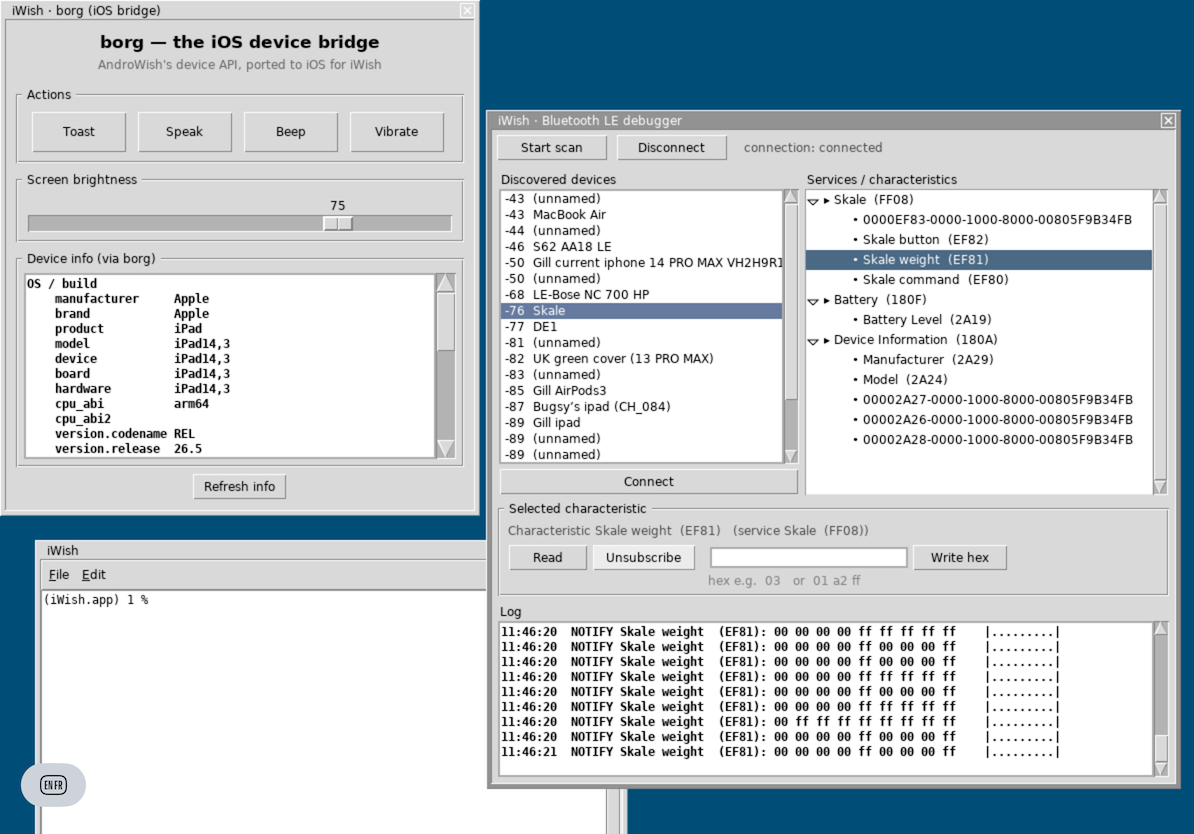
- Bluetooth LE via CoreBluetooth (the ble-ios native shim), so Tcl apps can talk to BLE peripherals directly.
- An iOS device bridge (borg) for platform features.
- A File ▸ Demos menu with ready-to-run examples: TkBLT plotting, a BLE debugger, iOS-bridge demos, and a paint tool.
Supported devices
- iPad running iPadOS 12 or later (arm64) — the intended target.
- iPhone (iOS 12+) will run it, but the desktop-style UI is cramped on a phone screen; iPad is strongly recommended.
- Older 32-bit hardware (iOS 9, e.g. the original iPad mini / A5–A6 devices): a separate armv7 port exists as its own project, androwish-ios9 . Apple no longer accepts 32-bit apps in the App Store, so that build must be sideloaded.
Download and install
- Pre-built IPA: the latest release is iWish 0.2-alpha (iWish.ipa), from github.com/johnbuckman/iwish/releases .
- The released IPA is unsigned — re-sign it with your own Apple Development certificate, then install it on your device. A free Apple ID works but the app expires after 7 days; a paid Apple Developer account ($99/year) gives a 1-year signature.
- Easiest sideload paths: Sideloadly or AltStore (both re-sign as they install), or install directly from Xcode. See INSTALL.md and scripts/sign-and-install-device.sh in the repo.
- Source / build recipes: github.com/johnbuckman/iwish (the repo holds build scripts and patches; see README.md).
Status
iWish is at 0.2-alpha — young, but the underlying runtime is the same one behind the iOS build of the Decent Espresso machine app, a large real-world Tk application (thousands of lines, live graphs, BLE hardware control). If it runs that, it will very likely run your Tk app. Feedback, bug reports, and pull requests are welcome via GitHub issues.
See also
- AndroWish — Tcl/Tk on Android, the project iWish is modelled on
- undroidwish — the SDL-based Tcl/Tk desktop/mobile runtime
- undroidwish-arm64-batteries-included — the macOS Apple-Silicon sibling
- SDL
Credits
iWish builds directly on the AndroWish / undroidwish work of Christian Werner. Without that foundation — SDL-backed Tk, the BLE bindings, the cross-platform packaging — none of this would exist. iWish is licensed under Tcl/Tk's BSD-style terms; bundled libraries retain their own licenses. Maintained by JohnBuckman.